What Is Role-Based Access, and Why Does It Matter?

Role-based access ties permissions to a person’s job function instead of their individual identity, so an “accounts payable clerk” role always carries the same rights regardless of who fills it. That single design choice is why role-based access control, or RBAC, is the dominant permissions model at organizations that need to scale without turning every access request into a one-off decision. NIST defines RBAC as a model where permitted actions are identified with roles rather than individual subject identities, and both Microsoft Azure RBAC and IBM build their enterprise access frameworks on the same core logic.
The mechanics are simple even when the deployments aren’t:
- Roles — named bundles of permissions tied to a job function
- Permissions — the specific actions a role can take (read, write, approve, delete)
- Users — the people or service accounts assigned to roles
- Role assignments — the link connecting a user to a role at a defined scope
Pro Tip: Before you build a single role, list your organization’s recurring job functions first. Roles that map to real, repeated work survive audits; roles built around one person’s convenience don’t.
Key Takeaways
Role-based access control succeeds when role design stays lean, provisioning ties directly to HR events, and governance includes named ownership with regular access reviews.
| Point | Details |
|---|---|
| Define RBAC clearly | Permissions attach to roles, not individuals, which is how NIST formally defines the model. |
| Match the model to the need | Use RBAC as the baseline, add ACL for resource-level exceptions, and reserve ABAC for genuine contextual rules. |
| Mine roles from real data | Combine job analysis with permission clustering, then validate candidates against actual usage logs. |
| Automate the lifecycle | Tie provisioning and revocation to HR events like hires, transfers, and terminations to prevent privilege creep. |
| Govern, don’t just design | Assign role owners, require approval workflows, and schedule recurring access reviews. |
Table of Contents
- How Does Role-Based Access Control Work?
- RBAC vs. ACL vs. ABAC: Which Model Fits Your System?
- How Do You Implement RBAC Without Creating a Mess?
- What Does Effective Role Mining Look Like in Practice?
- What Are the Most Common RBAC Mistakes?
- How Does RBAC Show Up in Real Systems?
- How Do You Handle Temporary Access and Dynamic Roles?
- A Field-Tested View on RBAC Governance
- Where to Learn More About RBAC Standards
- Sources
- FAQ
How Does Role-Based Access Control Work?
RBAC functions as a lookup system. When a user tries to do something, the system checks which roles they hold, what permissions those roles carry, and whether the scope of the request matches the scope of the assignment. Nothing is evaluated against the individual; it’s evaluated against the role.
Four objects drive that lookup: roles, permissions, role assignments, and role hierarchies (where a senior role inherits the rights of a junior one below it). Sessions matter too. A user might hold three roles but only activate one per session, which limits blast radius if credentials are compromised.
Scope determines where a role applies, and getting this wrong is one of the most common design mistakes:
- System scope — access across an entire platform or organization
- Tenant scope — access limited to one business unit, subsidiary, or client environment
- Resource scope — access limited to a specific asset, project, or record
Azure RBAC is a clean real-world illustration of scope in action: it governs who has access to Azure resources, what they can do, and at which scope, whether that’s a subscription, a resource group, or a single resource. That layered scope model is exactly what NIST’s more formal RBAC research describes in its RBAC2 technical report, which lays out role hierarchies and constraint rules in more depth than most teams will ever need day to day, but worth knowing exists when you hit an edge case.
None of this works without operational discipline behind it: someone has to own each role, changes need an approval trail, and every assignment needs to show up in an audit log. Skip that layer and RBAC becomes just as messy as the permission sprawl it was supposed to replace.
Pro Tip: Assign a named owner to every role, not a team. “The security team owns this role” means nobody does when an audit asks who approved it.
RBAC vs. ACL vs. ABAC: Which Model Fits Your System?
RBAC, ACLs, and ABAC solve overlapping problems at different resolutions, and most mature environments end up running more than one.
RBAC organizes access around job function and scales cleanly across an organization. Access control lists (ACLs) attach permissions directly to a user or a specific resource, which gives you finer control but doesn’t scale past a certain headcount. Imperva’s comparison puts it plainly: RBAC groups permissions into roles based on job functions, while ACLs attach permissions directly to users or resources, and RBAC scales better for company-wide administration while ACLs offer more granular, resource-level control.
Attribute-based access control (ABAC) goes further, evaluating context like time of day, device, location, or data sensitivity at request time. It’s powerful, but that power comes with real operational cost.
Use this as a rough decision guide:
- RBAC — your default for standard job-function permissions across most of the organization
- ACL — layer it in when specific files, records, or resources need exceptions RBAC can’t express cleanly
- ABAC — reserve it for genuinely dynamic, contextual rules (after-hours access, geofencing, data classification tiers)
Industry practice increasingly treats RBAC as the baseline with ABAC layered on top for boundary conditions rather than replacing it outright. Rolling out ABAC too early, before your role structure is stable, tends to produce policy debt that’s harder to unwind than the problem it was meant to fix.
Pro Tip: Get your RBAC foundation clean and stable first. Add ABAC only for the handful of rules RBAC genuinely can’t express, not as a wholesale strategy.
How Do You Implement RBAC Without Creating a Mess?
Good RBAC implementation is less about picking a tool and more about sequencing the work correctly.
Start with role mining. Combine top-down analysis (what does this job actually require?) with bottom-up clustering of existing permissions people already hold. Run candidate roles against real access logs before finalizing them; theoretical roles rarely match how people actually work.
Apply design rules that prevent bloat:
- Create a role only when it maps to a recurring function performed by multiple people
- Keep hierarchy depth shallow. Deep inheritance chains are nearly impossible to audit
- Avoid inheriting from multiple unrelated parent roles. Favor composing permissions instead
Connect provisioning to real HR events. IBM’s implementation guidance is direct on this point: integrate identity and access management with hires, transfers, and terminations, and explicitly revoke superseded roles rather than letting old ones linger. That single practice prevents most privilege creep.
Put governance around the whole system:
- Assign an owner to every role
- Require approval workflows for new assignments, not just new roles
- Schedule periodic access reviews and attestations, not just annual ones
- Automate deprovisioning the moment an HR event fires
- Pilot new role structures on one team before rolling out organization wide
- Add ABAC only after the RBAC baseline is stable and audited
Wellsmanager’s own approval workflow design for invoice signoffs reflects the same principle: role ownership only works when the approval trail is explicit and traceable, not assumed.
Pro Tip: Pilot every new role with one team for 30 days before rolling it out company wide. You’ll catch missing permissions and over-broad ones before they become an audit finding.
What Does Effective Role Mining Look Like in Practice?
Role mining is how you get from “everyone has ad hoc permissions” to a clean role structure, and it works best as a staged process rather than a single workshop.

Start by pulling two data sets: current entitlements (who has access to what right now) and activity logs (what people actually use). Cluster the overlap. Groups of users with near-identical entitlement and usage patterns are your candidate roles. Validate each candidate with the actual role owner before it goes live, because assumptions about “what marketing needs” rarely survive contact with marketing.
Combining that top-down job analysis with bottom-up permission clustering produces roles people can audit and defend, rather than roles that look tidy on a whiteboard but don’t match reality.
Judge each candidate role on three things:
- Coverage — how many users it fits without modification
- Exceptions — how many users need extra permissions bolted on
- Maintenance cost — how often the role needs adjustment after launch
Pro Tip: A role with more than 15 to 20 percent exception rate probably isn’t one role. Split it or rethink the clustering.
What Are the Most Common RBAC Mistakes?
Most RBAC failures trace back to a handful of repeatable errors.
Role explosion happens when teams create a new role for every minor variation instead of using exceptions. Fix it by requiring that any new role map to a recurring function shared by multiple people.
Excessive exceptions pile up when nobody owns the exception list. Fix it with a formal exception policy reviewed quarterly, not ad hoc approvals buried in email.
Weak approval controls let roles get assigned without a real gatekeeper. Fix it by requiring named-owner sign-off on every assignment, not just new role creation.
Privilege creep builds when old roles stack on top of new ones instead of being revoked. Fix it by tying revocation directly to HR transfer events, automatically, not as a follow-up task.
Pro Tip: Run a stale-role report monthly: any role with zero owner review in 90 days gets flagged for revalidation.
How Does RBAC Show Up in Real Systems?
RBAC’s abstractions become concrete once you look at how specific platforms implement them.
Azure RBAC assigns roles like Owner, Contributor, or Reader at a subscription, resource group, or individual resource scope, which is Microsoft’s documented approach to controlling who can do what and where in a cloud environment.
Kubernetes RBAC uses Roles and ClusterRoles to define permissions, then binds them to users or service accounts through RoleBindings and ClusterRoleBindings. A Role scoped to one namespace behaves like resource-scoped RBAC; a ClusterRole behaves like system-scoped RBAC.
SaaS platforms typically ship a simplified three-tier pattern: admin, manager, and viewer. It’s RBAC stripped to its essentials, and it works because most SaaS permission needs really are that flat.
In each case, teams commonly layer ACL-style exceptions or ABAC-like attributes (device trust, IP range, time window) on top of the base role structure for edge cases the role model alone can’t express, which mirrors NIST’s own framing of RBAC as the structural backbone with finer controls added where genuinely needed.
How Do You Handle Temporary Access and Dynamic Roles?
Static roles break down the moment someone needs access for a project, an incident, or a two-week coverage gap. Bolting on a permanent role for temporary need is exactly how role explosion starts.
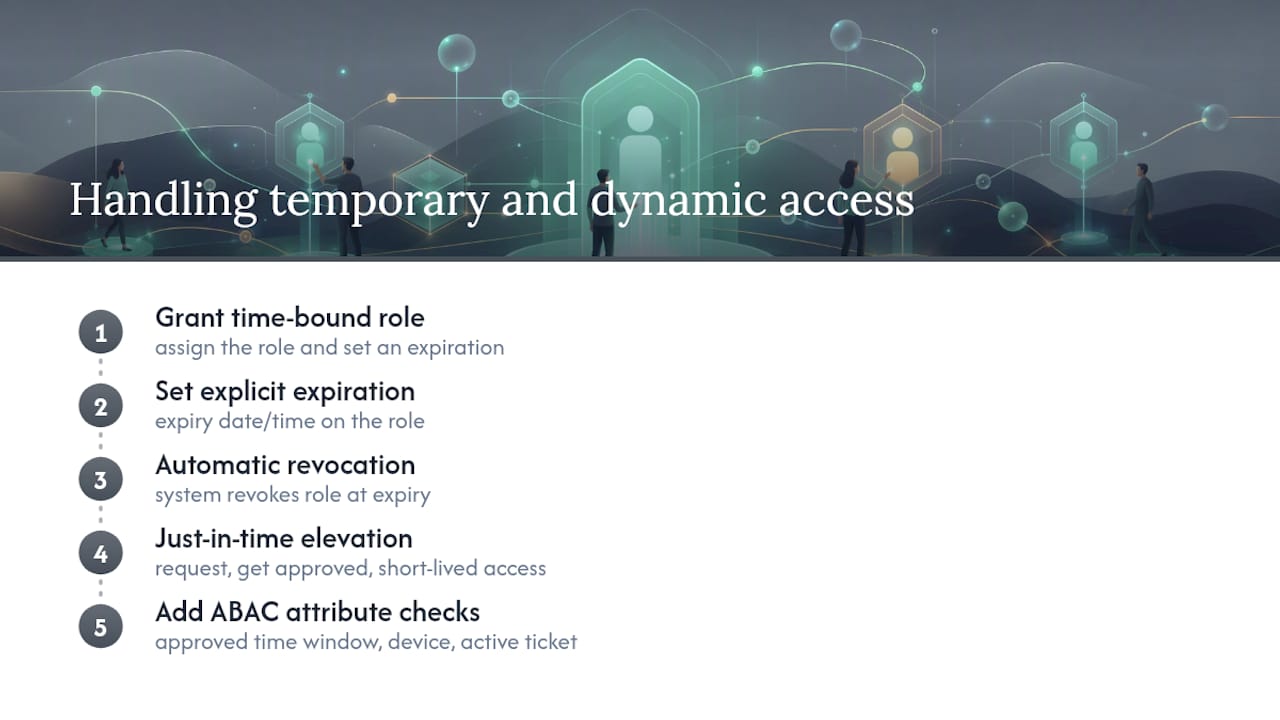
The cleaner pattern is time-bound role assignment: grant the role, set an expiration, and let the system revoke it automatically rather than relying on someone to remember. Just-in-time elevation works the same way for privileged tasks. A database administrator doesn’t need standing write access to production; they need the ability to request it, get approved, and have it expire in a few hours.
For genuinely dynamic scenarios, an on-call engineer needing temporary production access, a contractor working a fixed six-week engagement, pair RBAC’s structural clarity with a lightweight attribute check: is this request happening within the approved time window, from an approved device, tied to an active ticket? That’s ABAC doing exactly what it’s good at: handling the boundary condition RBAC alone can’t express cleanly.
The mistake most teams make is treating temporary access as an exception to be manually tracked in a spreadsheet. It should be a first-class part of the role assignment model, with expiration and revocation built in from the start rather than added after the first audit finding flags a contractor with access six months past their contract end date.
A Field-Tested View on RBAC Governance
I’ve watched RBAC rollouts succeed and stall, and the pattern is consistent: the technical design is rarely what breaks. It’s the lifecycle discipline around it. Teams that treat role provisioning as tied to HR events, hire, transfer, exit, catch privilege creep before it becomes an audit finding. Teams that treat RBAC as a one-time project inevitably drift into permission sprawl within a year.
- Role governance is inseparable from operational readiness, especially in field-heavy industries where access needs shift with every crew change
- Audit readiness isn’t a checkbox; it’s what a clean role structure gives you for free
- The organizations that get this right build revocation into the same workflow as provisioning, not as an afterthought
Pro Tip: If your access review process can’t answer “who approved this role assignment and when” in under five minutes, your governance model needs work before your technology does.
Where to Learn More About RBAC Standards
- NIST’s RBAC glossary definition for the formal model
- NIST’s RBAC2 report for role hierarchy design
- Azure RBAC documentation for cloud scope patterns
- IBM’s RBAC implementation guidance for lifecycle automation
Operators managing wells, crews, and vendor relationships face the same access problems at smaller scale but with just as much audit exposure. Wellsmanager builds role-based access directly into its field maintenance, sales, and investor distribution modules, so field staff, office administrators, and investors each see exactly what their role requires and nothing more. If your current system still relies on shared logins or manually tracked spreadsheets to manage who can approve an invoice or view a lease operating statement, that’s the exact permission sprawl RBAC is designed to eliminate. Wellsmanager’s single source of truth approach to operational data makes role-based permissions enforceable rather than aspirational, because access decisions are only as good as the underlying data model they’re built on.
Sources
- role-based access control (RBAC) - Glossary | CSRC
- What is Azure role-based access control (Azure RBAC)? — Microsoft Docs
- What Is Role-Based Access Control (RBAC)? — Imperva
- Role-based access control implementation — IBM
FAQ
What Is the Difference Between ACL and RBAC?
RBAC assigns permissions to roles based on job function, which scales across an organization; ACLs attach permissions directly to individual users or resources, which gives finer control but doesn’t scale as well past a certain size.
When Should You Use ABAC Instead of RBAC?
Use ABAC when access decisions depend on context, like time of day, device, or location, that a static role can’t express; most organizations run RBAC as the baseline and add ABAC only for those boundary conditions.
What Are Some Real Examples of Role-Based Access Control?
Azure RBAC assigning Owner or Reader roles at a subscription or resource scope, Kubernetes RoleBindings tied to namespace-level Roles, and SaaS platforms using simple admin, manager, and viewer tiers are all common RBAC implementations.
Is RBAC or ABAC Better for My Organization?
Neither is universally better. RBAC is simpler to audit and scales well for standard job-function access, while ABAC handles dynamic, contextual rules that RBAC can’t. Most mature environments use RBAC as the foundation and layer ABAC on top for specific edge cases.