Offline Data Capture: A Field Guide to Sync That Doesn't Break

Offline data capture means a device keeps working, fully, when there’s no signal, and syncs everything the moment a connection returns. It’s the difference between a read-only cache that just shows stale numbers and a true offline-first system where the local database is the record of truth. Field crews, inspectors, oil and gas operators, and clinical researchers all lean on this because it kills the paper fallback: work gets logged once, on-site, with photos and signatures queued to sync, and nothing gets re-typed later from a notepad.
TL;DR:
- Offline-first systems require a durable local database, a mutation queue, a sync engine, and background workers to function reliably without internet.
- Conflict resolution should be tailored to data type, with options like last-write-wins for status fields or CRDTs for high-conflict data.
- Essential best practices include predefining offline workflows, using client-generated IDs, testing under throttling, and implementing resumable uploads for attachments.
- Most field failures stem from unreliable connectivity and weak sync engines, highlighting the need for rigorous stress-testing before scaling offline features.
- A solid offline sync architecture is crucial, as local data storage is easier to implement than a robust, dependable sync process in patchy network conditions.
Table of Contents
- What Offline-First Architecture Actually Means
- How Synchronization And Conflict Resolution Actually Work
- Best Practices For Reliable Offline Capture In The Field
- What To Demand From Offline-Capable Field Apps And Forms
- Common Field Failure Modes And How To Fix Them
- How WellsManager Applies Offline-First Principles In The Field
- Piloting Offline Data Capture: A Short Checklist
- Why Most Offline-First Advice Undersells the Sync Problem
- Sources
- FAQ
What Offline-First Architecture Actually Means
A read-cache just stores a copy of server data so a screen doesn’t go blank without Wi-Fi. Offline-first is different: the local store on the device is the source of truth, and the app writes to it first, every time, network or not. Android’s own architecture guidance is blunt about the bar here: an offline-first app must let reads succeed without any network access, and repositories should merge local and remote data rather than treating the server as the only valid answer.
Four pieces make that possible:
- A durable local database that survives app restarts and OS memory pressure
- A mutation queue that records every write made while offline, in order
- A sync engine that reconciles the queue against the server once a connection exists
- Background workers that retry failed syncs without the user having to babysit the app
Skip any one of these and you’ve built a cache with extra steps, not an offline-first tool. The minimum bar to test against is simple: pull the SIM card, walk into a basement, and confirm the app still lets someone log a new record and reopen an old one.
How Synchronization And Conflict Resolution Actually Work
Every offline-first system runs on the same first move: write locally, update the screen immediately, and sync in the background. That’s optimistic UI. The user never watches a spinner for a save that should feel instant, because the save already happened, on-device, before the network was even asked for permission.
From there, three sync patterns cover almost every case:
- Pull-based sync checks the server periodically for changes and merges them down to the device.
- Push-based sync fires the moment a connection appears, sending queued mutations up immediately.
- Delta sync transmits only what changed since the last successful sync, instead of re-sending whole records, which matters enormously on a rig site running on a hotspot with 2 bars of LTE.
Photo and document attachments need their own lane. Practitioner guidance on offline-first field software recommends resumable uploads specifically because a 40-second photo upload that dies at 90% and has to restart from zero is how field teams lose faith in the tool and go back to paper.
Conflict resolution is where most vendors get vague, so map the strategy to the data type instead of picking one rule for everything. Last-write-wins is fine for a status field nobody edits twice in the same hour. User-assisted merges make sense for narrative notes where two people might genuinely disagree. For high-conflict, frequently edited data, event sourcing or CRDTs (conflict-free replicated data types) hold up better. Research on edge-based delay-tolerant networks using CRDT replication shows this approach maintains availability and lets systems reconcile intent semantically, rather than just letting the last save silently overwrite the one before it.
Best Practices For Reliable Offline Capture In The Field
Start by designing the offline path first, then bolt the online features onto it, not the other way around. Map the smallest set of tasks a field worker truly needs when the signal is dead: authenticate, open the assigned job, capture the required evidence, and queue it for sync. Everything else is a nice-to-have that can wait for connectivity.
A few rules make or break that workflow in practice:
- Give every record a client-generated ID (a UUID or ULID) at creation time, so two devices never collide on the same identifier during sync.
- Build mutation queues that are idempotent, meaning a retried sync can’t accidentally duplicate a record if the first attempt actually succeeded but the confirmation got lost.
- Attach reconciliation metadata (timestamp, device ID, app version) to every mutation, so conflict resolution has something real to work with later.
- Use resumable uploads for anything larger than a few kilobytes, and let background OS schedulers handle the retry timing rather than forcing the app to poll constantly.
- Don’t trust a single connectivity signal. Android’s network-state guidance recommends verifying reachability with an actual request rather than relying on a passive “connected” flag, since those flags lie constantly on satellite and cellular fringe connections.
Token expiry deserves its own line item: if a field worker is offline for six hours and their auth token expires mid-shift, the app needs a refresh flow that doesn’t wipe the queued work sitting behind it.
Pro Tip: Test your sync engine by disabling the network mid-upload, not just before a session starts. Most sync bugs surface at the moment connectivity flickers, not when it’s cleanly on or off.
What To Demand From Offline-Capable Field Apps And Forms
Plenty of software claims “offline support.” Very little of it holds up once you check the actual mechanics. Before adopting a tool for mobile field logging, put it through a specific checklist rather than trusting a marketing page.
On the form side, look for:
- Local validation and skip logic that run entirely on-device, with no network call required to advance a form
- Attachment handling built on resumable uploads, not a single blocking file transfer
- A visible offline mode indicator, so users know when they’re working locally versus synced
On the sync side, demand:
- A background sync engine that runs without the app being in the foreground
- Delta sync instead of full-record re-transmission on every connection
- Idempotent APIs on the server side, so a retried request can’t create duplicate records
- Sync-state visibility, meaning a user can see exactly what’s queued, what synced, and what failed
Security can’t be an afterthought bolted onto offline support later. Data sitting on a field device needs encryption at rest, device-level authentication, and a remote wipe option if a phone or tablet gets lost or stolen. ActivityInfo’s approach to offline data collection is a useful reference point here: it documents offline database availability paired with explicit sync workflows once a device reconnects, which is the baseline a serious tool should clear.
Common Field Failure Modes And How To Fix Them
Partial connectivity breaks more offline systems than total blackouts do. A device with one bar of signal can often push small text records but times out on a 15MB photo upload every single time, and if your sync engine treats that as one job, the whole batch stalls. Split record sync from attachment sync so text data keeps flowing while media queues separately and catches up later, and lean on delta sync so you’re not re-fighting the same bandwidth war on every retry.
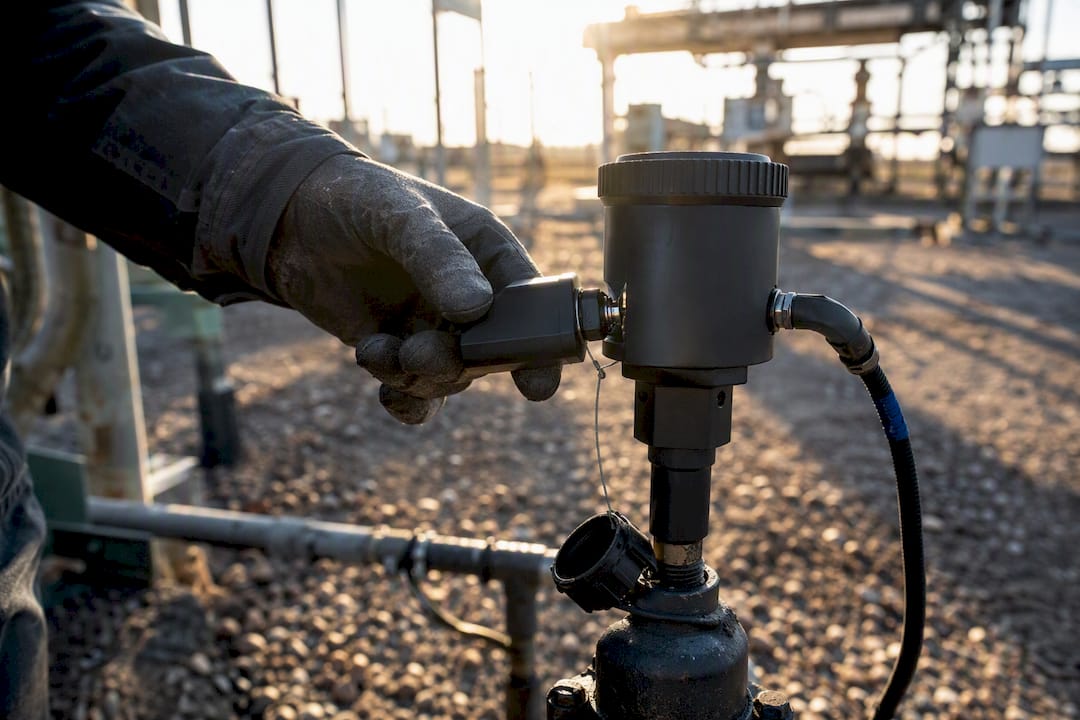
Long offline stretches, days without signal on a remote pad site, cause a quieter failure: auth tokens expire mid-shift. Build a refresh and recovery flow that re-authenticates without touching the mutation queue, or a worker’s entire day of logged data can get stuck behind a login screen.
Battery and OS background limits round out the list. Heavy sync jobs drain batteries fast, and modern phones throttle background processes aggressively to protect power. Schedule the heaviest syncs for when a device is charging or on Wi-Fi, and always show sync-state on screen. A field worker who can’t tell if their data actually saved will start taking screenshots as a backup, which tells you the trust in the system already slipped.
How WellsManager Applies Offline-First Principles In The Field
Independent oil and gas operators live the connectivity problem daily, as detailed in the Fieldvest blog covering energy market trends and related challenges. Pump jacks and tank batteries sit on leases with no cell tower in range, and a pumper checking gauges at 6 a.m. can’t wait for a signal to log a maintenance issue. WellsManager’s mobile Field Log is built around that reality: assigned work, well details, and prior maintenance history are stored on the device, so a field operator can open a job, log a task, attach a photo of a leaking valve, and capture a signature, all without a network connection.
That queued work syncs the moment a connection returns, and once it lands, WellsManager’s single source of truth turns it into something more useful than a raw log entry:
- Costs tied to that maintenance event flow straight into the lease operating statement
- The AI connector can answer a natural-language question about that well’s history immediately after sync
- Investors see distribution-relevant data without waiting on a monthly office reconciliation
Device-level encryption, access controls tied to user roles, and remote wipe on lost devices round out the security side, which matters when the data on that tablet includes cost and compliance information tied to real leases.
Piloting Offline Data Capture: A Short Checklist
Rolling out offline capture works better as a scoped pilot than a company-wide flip of a switch. A few concrete steps keep it from stalling:
- Map the minimum viable offline workflow: which fields, photos, or signatures are truly required, and which can be added later online.
- Set data-model rules up front: client-generated IDs, a documented conflict-resolution policy per data type, and a resumable-upload strategy for attachments.
- Build durable queues and test them specifically under intermittent connectivity, not just fully-on or fully-off states.
- Run a pilot with real network-throttling tests, gather sync-success metrics, train the field users, and iterate before scaling.
| Pilot checkpoint | What to measure |
|---|---|
| Offline workflow mapped | Required fields and attachments confirmed with field users |
| Conflict policy defined | Rule assigned per data type, not a single blanket rule |
| Queue tested under throttling | Sync completes correctly after simulated dropouts |
| User training complete | Field staff can read sync-state indicators unaided |
Why Most Offline-First Advice Undersells the Sync Problem
That gets the priority backward. The local store is genuinely the easy part now. Every mobile framework worth using ships a workable local database. The part that actually determines whether a field deployment succeeds or quietly reverts to paper within three months is the sync engine’s behavior under partial, flickering, asymmetric connectivity, which is exactly the condition most field sites live in, not the clean binary of “online” or “offline” most demos are built around.
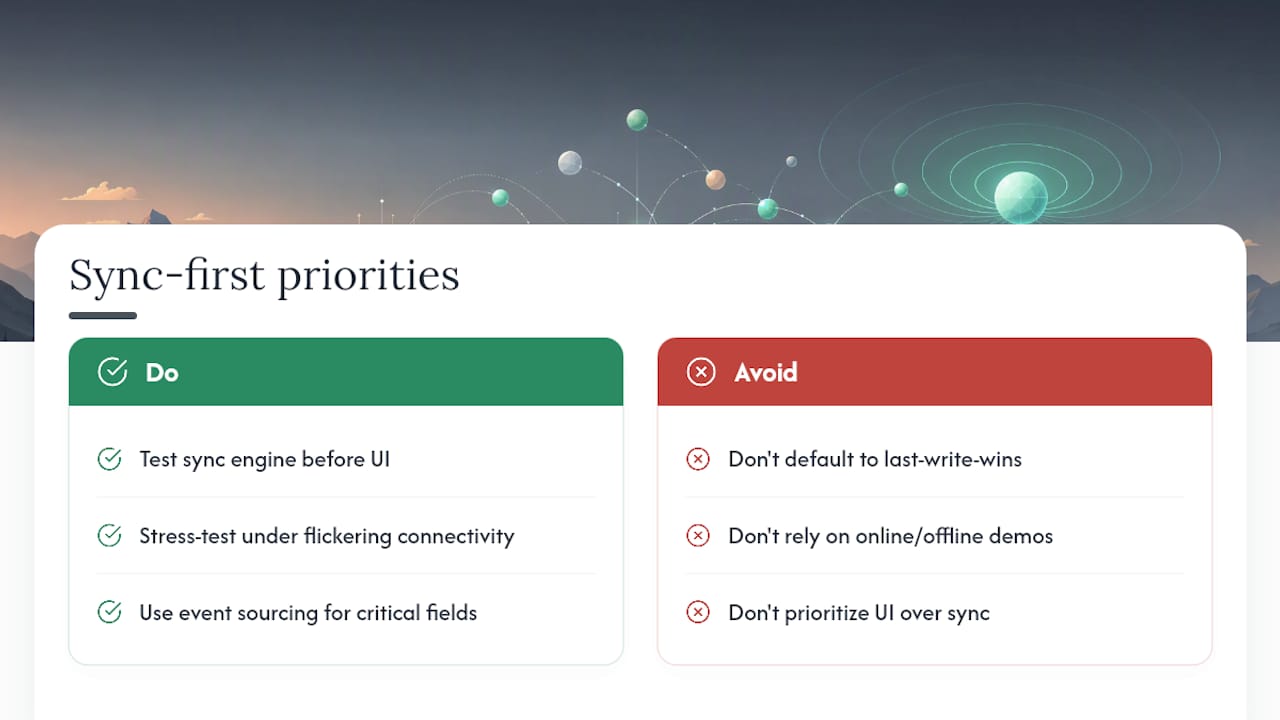
The other place conventional advice falls short is conflict resolution. Teams default to last-write-wins because it’s the easiest to implement, then get surprised when two field workers editing the same well record overwrite each other’s real information. Match the resolution strategy to how contested the data actually is, and don’t be afraid to use event sourcing for the handful of fields where losing a version genuinely costs money or compliance standing.
If there’s one thing to prioritize first, it’s this: build and stress-test the sync engine before you polish the form UI. A beautiful offline form backed by a fragile sync layer is worse than a plain one backed by a solid one, because the failure shows up weeks later, quietly, as missing data nobody notices until an audit or an investor statement doesn’t add up.
— Pedro
Sources
- Build an offline-first app | App architecture | Android Developers
- Offline-first architecture for field operations software
- Offline data collection — ActivityInfo
FAQ
What Does “Offline Data” Mean?
Offline data is information captured and stored on a device without an active internet connection, held in a local database until the device reconnects and syncs it to a central server.
Can REDCap Collect Data Offline?
REDCap supports offline data collection through companion mobile apps that store survey responses locally and sync them once a connection is restored, though the specific offline capabilities depend on the app version and configuration in use.
Can Survey Apps Be Used Offline?
Yes, many survey and form-building tools support offline use when paired with local storage such as IndexedDB or a native mobile wrapper, letting users complete forms without signal and sync automatically later.
What Is the Best App for Data Collection?
The right tool depends on the industry and workflow, but any strong candidate needs a true offline-first local database, a durable sync queue, resumable attachment uploads, and clear sync-state visibility, not just a basic offline cache.