Electronic Field Tickets for Oilfield Operations: 2026 Guide

Electronic field tickets are digitized LEM (labor, equipment, materials) records captured at the wellsite with GPS coordinates, timestamps, photos, and e-signatures — replacing the paper ticket that used to sit in a truck cab for three weeks before anyone in AP saw it. The bottom line: operators who switch from paper to digital field ticketing typically cut their ticket-to-invoice cycle from weeks to about a day, and automated reconciliation engines hit a very high auto-match rate between digital tickets and vendor invoices. Paper processes, by contrast, carry a high invoice dispute rate driven by illegible handwriting, lost tickets, and delayed approvals.
At a glance:
- Digital field tickets capture labor, equipment, and materials at the wellsite with offline-first storage and automatic sync.
- Dispute rates drop sharply once timestamps, GPS, and e-signatures replace handwritten records, cutting documented dispute rates from 8–15% on paper to under 2% with digital tickets.
- Operators with a large number of active well projects often recover the full platform cost within about a year.
- Wellsmanager pairs field work logging with per-well P&L, vendor management, and audit trails in one platform.
Table of Contents
- What does an electronic field ticket actually contain?
- How do electronic field tickets move from wellsite to invoice?
- What business benefits do digital field tickets deliver?
- What features should you require in a field ticket system?
- How long does implementation take, and what ROI should you expect?
- How do e-tickets connect to your AP and ERP systems?
- How do you choose the right field ticket software?
- How does automated reconciliation reduce your compliance risk?
- What mistakes kill field ticket rollouts?
- Key Takeaways
- The feature checklist is not the hard part
- Wellsmanager is built for upstream operators, not generic field service
- Useful sources
What does an electronic field ticket actually contain?
The industry term is a LEM ticket — labor, equipment, materials — and the digital version adds four layers paper never had: a GPS coordinate, a device timestamp, photo or video attachments with preserved metadata, and a legally binding e-signature captured on-site.
Core components of a digital field ticket:
- LEM line items: Hours worked by crew, equipment deployed (with rental-day or standby-time billing), and materials consumed, each tied to a cost code (AFE or LOE).
- Offline-first capture: Crews record hours, materials, and equipment in no-signal locations and the app syncs automatically when coverage returns. Cloud-only apps fail the moment a wellsite loses cell service — which is most of the time in remote U.S. basins.
- E-signature: The company man or supervisor signs on the device at the wellsite. That signature is timestamped, GPS-tagged, and locked against editing.
- Audit trail: Every change, approval, and rejection is logged with user identity, timestamp, and reason — creating an uneditable revision history.
- Auto-match/reconciliation: The system compares the digital ticket to the vendor invoice using equipment ID, date, and well/lease ID, flagging mismatches instead of passing them to AP.
- AFE/LOE coding: Each line item maps to an Authorization for Expenditure or Lease Operating Expense code, feeding directly into cost accounting without re-keying.
The distinction between offline-first and cloud-only is not a minor UX preference. A cloud-only app that loses connectivity mid-ticket forces the crew to revert to paper — defeating the entire purpose of going digital.
How do electronic field tickets move from wellsite to invoice?
The workflow has four stages: capture → approval → integration → reconciliation. Each handoff is where paper processes break down; digital tickets are designed to eliminate those gaps.
-
Field capture. The service company’s crew opens the mobile app, selects the well and job type, and enters LEM line items. Photos of equipment, tags, or site conditions attach automatically with metadata. The company man reviews and signs on-screen. All of this happens offline if needed; the ticket uploads the moment the device reaches a signal.
-
Approval routing. The ticket lands in a supervisor or company-man queue for review. Cost codes are validated against the active AFE or LOE. Exceptions — a line item that exceeds the approved rate, a missing cost code, an unrecognized equipment ID — route to the right person immediately rather than surfacing at month-end. Field ticketing software built for oil and gas enables same-day approvals even from remote wellsites.
-
AP/ERP integration. Approved tickets push via API or EDI to the ERP: SAP, Oracle, QuickBooks, or Microsoft Dynamics. The data arrives with vendor ID, cost code, line items, and well ID already mapped — no one re-types it.
-
Invoice reconciliation. When the vendor submits an invoice, the system matches it against the approved ticket. A 95%+ auto-match rate means AP staff handle exceptions, not the full stack. Unmatched items route to a flagged queue with the original ticket attached, so disputes resolve in hours rather than weeks.
Pro Tip: Ask every vendor to demonstrate a live offline write/read test during the demo: disconnect the device from Wi-Fi and cellular, create a full ticket with photos and signature, then reconnect and confirm the ticket syncs without data loss. If they cannot show it live, the offline capability is not production-ready.
What business benefits do digital field tickets deliver?
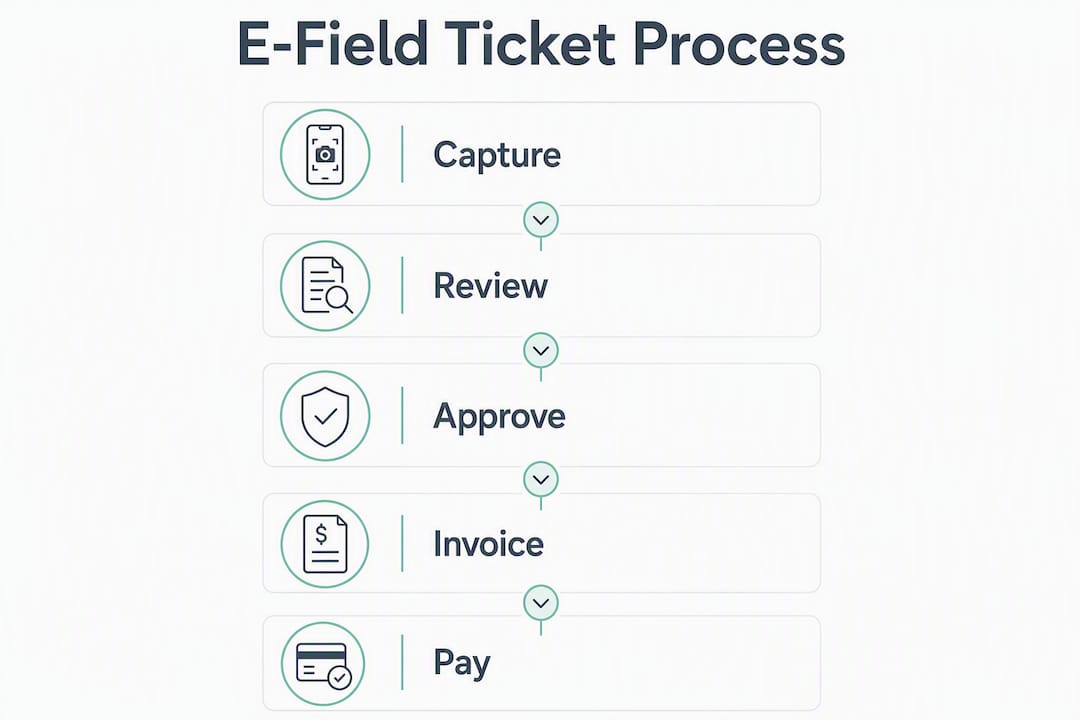
The headline numbers are compelling, but the operational shift underneath them matters more. Some implementations have moved ticket processing from roughly three weeks to approximately 24 hours — a change that affects cash collection, month-end accruals, and dispute resolution simultaneously.
| Metric | Paper baseline | Digital field tickets |
|---|---|---|
| Invoice dispute rate | 8–15% | Typically under 2% |
| Ticket-to-invoice cycle | 10 days | ~24 hours |
| FTEs for reconciliation (large well count) | significant staff on paper | fewer staff focused on exceptions with digital tickets |
| Month-end surprise accruals | frequent on paper | infrequent with digital ticketing |
The FTE recovery point deserves attention. Operators with 200+ AFE-active wells often run 1–2 full-time employees solely for ticket reconciliation when using paper. That cost is usually invisible until someone runs the numbers — it does not show up as a line item, it shows up as a salary that never gets questioned. Digitizing tickets does not eliminate those roles; it redirects them toward exception management, cost analysis, and vendor performance tracking.
Operators who move to digital field ticketing and have a large number of active well projects often recover their full platform cost in about a year — driven by recovered labor and a sharp drop in disputed invoices.
Cash flow is the other lever. When tickets approve the same day the job completes, vendors invoice faster and operators accrue accurately. The alternative — a three-week lag between job completion and invoice receipt — creates unrecorded liabilities that distort LOE reporting and frustrate investors reviewing monthly financials.
What features should you require in a field ticket system?
Offline-first capture is the non-negotiable starting point. Every other feature on this list is secondary if the app cannot function without a cell signal.
Must-have features for oilfield field ticketing:
- Offline-first capture with auto-sync: Tickets write to local device storage and sync on reconnection, with no data loss and no manual re-entry.
- Configurable LEM templates and rate sheets: The system should enforce contract rates at the line-item level, flagging overages automatically rather than letting them pass to AP.
- In-ticket e-signature with GPS and timestamp: Signature capture must be locked to a specific GPS coordinate and device time — not just a drawn signature with no metadata.
- Photo and video with preserved metadata: Oilfield platforms provide photo/video capture with preserved metadata and end-to-end audit logs to reduce disputes. The metadata — device ID, timestamp, GPS — is what makes the photo evidentiary.
- Audit trail: Uneditable log of every action: creation, edit, approval, rejection, and sync event, each with user identity and timestamp.
- Approval routing and role-based access: Supervisors, company men, and AP staff each see only what they need to act on.
- API/ERP connectors: Pre-built integrations to SAP, Oracle, QuickBooks, and Microsoft Dynamics reduce implementation time and re-keying risk.
Beyond the standard checklist, oilfield operations require features that generic field-service apps simply do not include. Oilfield-specific platforms support rental days, sub-rentals, standby time, and crew rotation — billing structures that a construction or HVAC app has no concept of. If a vendor cannot demonstrate standby billing or sub-rental line items in their demo environment, they are not built for upstream.
Pro Tip: During vendor demos, request a sample audit log export for a ticket that was edited after initial submission. The log should show the original value, the changed value, the user who made the change, and the timestamp. If the log only shows the final state, the audit trail will not hold up in a billing dispute.

How long does implementation take, and what ROI should you expect?
A focused pilot on a single service line — say, rental equipment or one crew type — can replace paper within about a month for a limited scope, based on vendor deployment examples. Full-company rollout takes longer, but the pilot is where you validate the system before committing.
Implementation checklist:
- Pilot design: Select one service line or crew type with a high disputed-charge frequency. Define success as days from job completion to invoice sent.
- Vendor configuration: Map your LEM templates, rate sheets, AFE/LOE codes, and approval roles. This is where most delays happen — have your cost-code list ready before kickoff.
- Supplier onboarding: Service companies need training and, in some cases, device provisioning. Suppliers who resist onboarding are a red flag; a good vendor will have a structured onboarding program.
- Parallel run: Run paper and digital simultaneously for two weeks. This catches mapping errors before you cut over.
- ERP integration: Connect the approved-ticket feed to your accounting system. Test with a sample batch before go-live.
- Go-live metrics: Track dispute rate, ticket-to-invoice days, and FTE hours in reconciliation weekly for the first 60 days.
| Scenario | Payback period | FTE recovery |
|---|---|---|
| Many active wells | Under about a year | Moderate FTE recovery |
| Mid-level wells, high dispute frequency | about a year | Some FTE recovery |
| Fewer wells, low dispute frequency | Over a year | Minimal FTE recovery |
Training is where rollouts stall. The most effective approach is training in the truck, not in a conference room — have a field supervisor walk through ticket creation on an actual job, not a demo scenario. Crews adopt tools they learn in context.
How do e-tickets connect to your AP and ERP systems?
The goal of integration is simple: a ticket approved at the wellsite should create a payable in your ERP without anyone re-typing a single field. Digitized field tickets integrate directly with ERPs and accounting systems including SAP, Oracle, QuickBooks, and Microsoft Dynamics to eliminate redundant data entry.
Typical data flow:
- Approved ticket pushes via API or EDI with: vendor ID, well/lease ID, AFE or LOE cost code, line-item quantities and rates, e-signature record, and photo attachments.
- ERP receives the payload, matches it to the purchase order or blanket contract, and creates a payable or accrual.
- Invoice arrives from vendor; the reconciliation engine matches by equipment ID, date, and well ID.
- Exceptions route to AP with the original ticket and the invoice side-by-side.
- GL posting happens after AP clears the exception queue.
Integration checklist before vendor selection:
- Confirm pre-built connectors for your specific ERP version (SAP S/4HANA vs. SAP ECC behave differently).
- Map every required field: cost code format, vendor ID schema, unit-of-measure conventions.
- Define how legacy paper tickets in transit will be handled during cutover — manual upload or parallel entry.
- Run a test batch of 10–20 tickets through the full flow before go-live, and verify GL postings match expected cost codes.
| Integration type | Best for | Typical setup time |
|---|---|---|
| Pre-built API connector | SAP, Oracle, QuickBooks, Dynamics | 1–3 weeks |
| EDI/flat-file export | Legacy ERP, custom systems | 2–4 weeks |
| Manual CSV upload | Very small operators, interim use | Days |
How do you choose the right field ticket software?

Prioritize oilfield fit, integration maturity, and reconciliation accuracy. A system that deploys in two weeks but requires manual reconciliation later costs more than one that takes six weeks to integrate properly.
Scoring checklist for vendor evaluation:
- Oilfield fit: Does it support offline capture, rental-day billing, standby time, sub-rentals, crew rotation, and AFE/LOE coding natively?
- Integration maturity: Pre-built connectors to your ERP, documented API, and a reference customer on your specific ERP version.
- Reconciliation accuracy: Ask for the auto-match rate from a live customer with a similar ticket volume and service mix.
- Security and data privacy: SOC 2 compliance, role-based access, and data residency in the U.S.
- Supplier onboarding: How long does it take a new service company to submit their first digital ticket? Under one week is the target.
- Support SLAs: Is support in-house or outsourced? What is the response time for a ticket-sync failure during an active job?
- Total cost of ownership: License fee plus implementation, training, and integration costs — not just the headline per-seat price.
Red flags to watch for:
- Vendor cannot demonstrate a live offline test.
- Auto-match rate is described qualitatively (“very high”) rather than with a specific figure from a live deployment.
- Supplier onboarding requires the vendor’s professional services team for every new service company.
- Audit logs show only the final state of a ticket, not the full revision history.
- Support is routed offshore with no named account contact.
How does automated reconciliation reduce your compliance risk?
Automated reconciliation shifts AP from data entry to exception management. Instead of re-typing every line item from a vendor invoice, AP staff review only the tickets the system could not match — typically under 5% of total volume once the system is configured.
Components of a compliant audit trail:
- Uneditable timestamps on every action (creation, edit, approval, sync).
- GPS coordinates tied to the e-signature capture event.
- Signer identity verified by device login, not just a drawn signature.
- Full revision history: original value, changed value, user, and timestamp for every edit.
- Preserved photo metadata: device ID, GPS, and timestamp embedded in the image file.
For U.S. operators, record retention requirements under IRS guidelines and SEC reporting standards (for public companies) typically require financial records to be retained for a minimum of seven years. E-signed field tickets qualify as financial records. The practical requirement: your system must be able to export a complete, tamper-evident audit package — ticket, signature record, photo attachments, and revision log — on demand for any ticket in that retention window.
The 8–15% dispute rate on paper-based processes distorts month-end cost reporting and can surface unrecorded liabilities that affect LOE accuracy and investor reporting.
Storing e-signed tickets in a system that allows post-approval edits without logging them is a compliance failure, not just an operational inconvenience. Verify that your vendor’s audit trail is write-once before you sign a contract.
What mistakes kill field ticket rollouts?
The most common failure is deploying a generic field-service app and expecting it to handle oilfield billing structures. The second most common is skipping supplier onboarding — if your service companies cannot submit digital tickets, you are still on paper regardless of what your internal team uses.
Mistakes to avoid:
- Converting the entire company at once instead of running a single-service-line pilot first.
- Changing ticket layouts or cost-code structures mid-rollout before crews are comfortable with the new workflow.
- Skipping the parallel run — two weeks of paper and digital simultaneously catches mapping errors that only show up on real jobs.
- Measuring success by the number of tickets submitted digitally rather than by days from job completion to invoice sent.
- Assuming field crews will self-train from a manual or video library.
Pro Tip: Pick one success metric before go-live and track it weekly: days from job completion to invoice sent. Everything else — dispute rate, FTE hours, match rate — follows from that number. A single metric keeps the pilot focused and gives you a clean before/after comparison for the business case.
Training in the field, not in a conference room, is the single highest-leverage investment in adoption. A supervisor who can walk a crew through ticket creation on an actual job — on the device they will use, at the wellsite they work — produces faster adoption than any onboarding webinar.
Key Takeaways
Electronic field tickets cut the ticket-to-invoice cycle from weeks to roughly 24 hours, reduce invoice dispute rates from 8–15% on paper to under 2%, and let operators with 200+ active wells recover platform costs in under 12 months.
| Point | Details |
|---|---|
| Dispute rate on paper | Paper processes carry an 8–15% invoice dispute rate; digital tickets with e-signatures and GPS reduce this to under 2%. |
| Ticket-to-invoice speed | Some implementations have moved processing from roughly three weeks to approximately 24 hours. |
| FTE recovery at scale | Operators with 200+ AFE-active wells typically run 1–2 FTEs on reconciliation; digital tickets reduce that to exception-only work. |
| Pilot approach | Start with one service line, run a two-week parallel period, and measure days from job completion to invoice sent. |
| Wellsmanager fit | Wellsmanager pairs field work logging with per-well P&L, vendor management, audit trails, and ERP integrations for upstream operators. |
The feature checklist is not the hard part
Most operators spend their evaluation time comparing feature lists. That is the wrong place to focus. Every credible field ticketing platform will check the offline box, the e-signature box, and the ERP integration box. The real differentiator is whether the system survives contact with your actual operations — a remote Permian Basin location with no cell service, a service company that has never used anything but paper, and an AP team that needs the data in SAP by end of day.
The operators who get the fastest ROI are not the ones who picked the most feature-rich platform. They are the ones who ran a tight pilot on their highest-dispute service line, onboarded their top three service companies before go-live, and measured one metric relentlessly. The technology is mature enough that execution beats selection every time.
The trade-off worth naming: a heavyweight ERP integration takes longer to configure but reduces total cost of ownership over three to five years. An entry-level app deploys in days but often requires manual reconciliation steps that quietly consume the FTE hours you thought you were recovering. Neither choice is wrong — but you should make it consciously, not by default.
If I were advising an independent operator starting from scratch, I would pilot on rental equipment or whichever service line has the highest disputed-charge frequency. That is where the ROI is fastest and the business case writes itself.
Wellsmanager is built for upstream operators, not generic field service
Operators who need field ticket management connected to the full cost picture — per-well P&L, vendor performance, AFE tracking, and investor reporting — will find that standalone ticketing apps create a new data silo rather than closing the old one. Wellsmanager is built specifically for upstream oil and gas, combining field work logging, vendor and asset management, per-well expense tracking, and audit trails in one platform. The difference from a point solution: approved field tickets feed directly into lease operating statements and per-well P&L without a separate integration project.
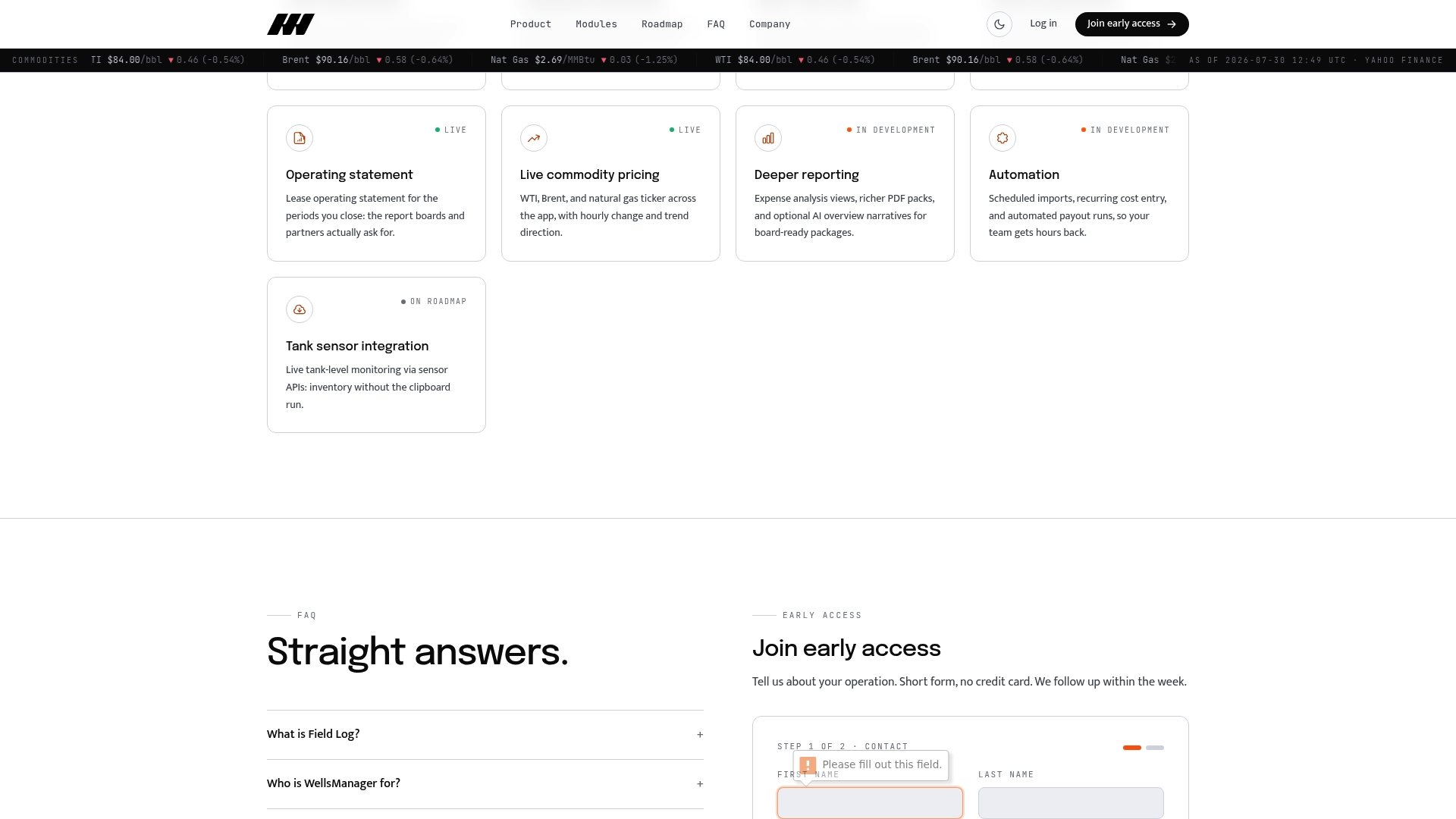
The platform includes AI-generated executive briefs and real-time compliance notifications, so operations managers get a daily summary of flagged exceptions rather than a month-end surprise. For operators evaluating vendors, the practical next step is to bring a sample ticket, your active AFE list, and your ERP integration endpoints to the demo. Request access to Wellsmanager to schedule a hands-on evaluation and see how field work logging connects to your cost accounting in a single workflow.
Useful sources
The sources below back the claims in this guide and are worth reviewing directly when preparing an RFP or vendor demo script.
- RigER — Electronic Field Tickets for Oil and Gas Operations: Source for the ticket-processing cycle improvement from roughly three weeks to approximately 24 hours.
- Spira Field Intelligence — Field Ticketing Software: Covers oilfield-specific billing structures including rental days, sub-rentals, and standby time.
- IADC — International Association of Drilling Contractors: Industry standards body; useful for validating compliance and record-retention practices relevant to U.S. drilling operations.
Before finalizing any vendor selection, run three hands-on tests: an offline write/read test with photos and signature, a signature tamper check (attempt to edit a signed ticket and verify the audit log captures it), and a reconciliation sample run using 20–30 real tickets against matching invoices. Vendor demos are controlled environments; these tests are not.